NEW INFOPRACA
Meet the new infoPraca
We redesigned the platform to make finding a job simpler, faster, and more user-friendly.

infoPraca.pl is an online career site. The service platform provides innovative online recruitment tools for companies and jobseekers, making posting and finding a job more interactive, easy and efficient.
Registered companies can post job offers which jobseekers can then find and apply for.
Under no circumstances are we involved in any way in the selection process of the company. Every company uses its own processes and procedures.
In order to take full advantage of our services, employers and jobseekers must first register on our website.
From your Account you can see at a glance your latest applications, your default CV, etc. Your Account allows you to see an overview of your activities on the site.
At infoPraca.pl we offer the following services:
Insert your CV and begin to apply for the positions offered by companies.
Save up to 5 different CVs and 5 cover letters along with a photo.
Receive job offers defined by cities or countries via email.
See the status of your application in real time ("Received", "In process", "Finalist" or "Discarded").
Send job offers to friends that may be interested in the position.
If you have found an interesting offer and believe that your resume fits with the company's requirements, then you can apply for it by sending them your curriculum.
To do so, access the offer and click the "Apply for this position" option. Introduce your email and your password. Then select the CV you wish to send (if you have more than one) and the cover letter that you want to attach (optional). Then click on "Apply Now". In some cases, you may have to answer some questions from the company to give them more information about your abilities and knowledge.
You can check which stage in the selection process your application has reached by going to "My Account". Under "My Applications", you will then see one of the following labels next to each entry:
If you have forgotten your password you can ask us to resend it to you by email from the infoPraca.pl "Sign in" page. Just below the boxes where you enter your email and password you will find the link "Did you forget your password?".
Click on the link and in the popup that opens up introduce the email you provided when registering and click on \"Send email\". You will shortly receive a message in your inbox with instructions on how to reset your password.
Companies carry out their recruitment processes according to their own internal policies. infoPraca.pl is only responsible for posting the offers and maintaining the database containing candidate CVs. We have nothing to do with the company's internal recruitment processes.
You can find the status of your applications in your dashboard (My Account).
Some companies contact all the applicants by telephone or email, whether they intend to interview them or not. Others only contact those they have selected as being "Finalists". However, even then, not all companies actually make contact with all the finalists.
If you have registered with infoPraca.pl but you haven't applied for any positions posted by companies you will most likely not receive many job offers. You have to apply for a position that has been posted in order for the company to know that you are interested in the vacancy.
On the infoPraca.pl home page, you will see a search box where you can specify the fields for your search (by entering a keyword and the location where you want to work). Once you have done a search, select the offer(s) you are interested in. To send your CV to a company, click on "Apply for this position". The system will ask you to enter your email address and password. You can then select the CV you wish to send along with a cover letter (optional). The company will receive your application and then contact you should it wish to continue with the process.
You can make any changes to this service using My Account, by clicking on the "Edit" option under "Job Alerts".
Change the settings for country, province, category or the name of the Alert and click on "Save Alert".
If you need to delete one of the Alerts that you created, simply click on the "Delete" icon.
You can decide to cancel your registration from infoPraca.pl or just from some of the services offered at any time.
Unsubscribing from infoPraca.pl (remember that in order to use our service again, you will need to complete our membership process once again).
In order to unsubscribe completely, use My Account, clicking on "unsubscribe". Fill in the two fields and click on "Cancel Account" This will remove you from all infoPraca.pl services.
If you have found work, you do not need to cancel your account with infoPraca.pl. If you prefer, you can simply unsubscribe from email alerts.
Unsubscribing from email job alerts
To turn off automatic email alerts, go to My Account. Click on the link "Job alerts" and then choose the option "Disable" to stop receiving job offers by email.
Yes, from My Account click on the option "Notification of new CVs". Choose the frequency and accept the changes.
The "Update" service means that your offers will be displayed among the new offers posted for that day, and will therefore always appear in a preferential position where they can be easily viewed by candidates. This is a way of optimizing the effectiveness of your offers by ensuring they remain current.
To update your offers, access My Account and click the "Update" link under each offer.
From the infoPraca.pl click on "Employer post a job". Carefully complete the registration form . The fields marked with a red asterisks are compulsory.
Once you have completed the process you are then registered and can begin posting offers. However, these won't appear on the page until you have received a telephone call from the infoPraca.pl Customer Service department to validate your registration details. This process is essential in order to assure our candidates that the companies offering employment are reliable.
This process only needs to be done once. Once your company details have been finished the registration process you will be able to access My Account using your email and password. Here you can change your login details, edit, modify or delete job offers, and view the CVs of the candidates who have responded to your offers.
Click on the "Sign In" link and enter your email and password to access My Account.
In My Account you will see a list of all the offers you have posted. At the top of the page, you will find a number of boxes that enable you to filter the offers (active, inactive, draft or all).
Each offer is shown on a separate row in the list. Clicking on "Edit" will open the offer form and allow you to change any fields you choose. Remember, however, that you are unable to modify the "Position", "Country" or "Category" fields.
When you have made the changes you require, simply click on "Save". Your offer will now be updated with any changes you made.
Click on the "Sign In" link and enter your e-mail and password to access My Account. By default, this page will show all the vacancies you currently have active. If you wish to view your vacancies according to their status, (active, inactive, draft or all), mark the checkboxes on the top part of the screen and click the "Apply" button.
On the far right of each offer, you will see four coloured areas. These refer to the following: blue for CVs that have been received but not yet classified; yellow for those in process; green for finalists, and red for those that have been rejected. If you click on any of the colours you will see the CVs that are contained in each of these four folders.
If you are interested in a candidate, just click on their name. This will display their details along with their cover letter (if the candidate has chosen to send one), followed by their complete CV.
IMPORTANT: It is essential to properly classify the CVs you receive. Once you have reviewed the candidate's resume, it is important to your classify their application, marking it as "In Process", "Finalist" or "Rejected", as the candidate is able to view this information. If the candidate sees that their application hasn't progressed from the "Received" folder, they may lose interest in the offer. To classify the CVs you receive, open a CV and select a destination from the "Move selected CVs to" list. "Finalist" means you are interested in the candidate and will probably contact them to arrange an interview. "In Process" means you are still evaluating the candidate, and "Discarded" is for candidates you wish to rule out of the selection process.
When a candidate applies for your job vacancy, you will receive the application in your private account
We recommend that you manage the applications you have received by moving them to the appropriate folder (processed, rejected, or finalist) so that you can see at a glance what candidates are in which stage of the selection process. By moving the applications to the corresponding folders, you also provide information to the candidate who is monitoring the status is the application. If you move someone to the Finalist folder s/he will expect you to contact him/her by e-mail or telephone.
You can contact candidates directly by using the data contained in the application.
Go to the "Sign In" option and introduce your email and password. From My Account, click on "Cancel Acount" and re-introduce your password. You must now fill in the fields in the form and send the information. Once this process is carried out correctly you company will be unsubscribed.
When reviewing the CVs received in response to an offer, you will see a list of all the candidates and three columns showing their professional experience, education and place of residence. If you select any of these elements, the system will filter the candidates to only show the details you have specified. The filter works in real time and enables you to quickly view specific details for the candidates you are most interested in.
Pending offers are those that you placed when registering at infoPraca.pl, but are waiting for you company to be validated before appearing on our site.
You will receive a telephone call from our Customer Service department to validate the information provided and, this way assure the maximum reliability to the candidates who should decide to apply for the offers posted on the website.
These are vacancies which candidates can view and respond to by sending their CVs.
These are vacancies which were previously active but are no longer visible to candidates. They act as a record, showing the CVs that were received for a particular vacancy, but no further applications can be made for the position as the offer is no longer visible on the website.
A draft offer is one that is still not posted on the web page. When the offer is in this state you can add open questions and Recruiting Questions, or modify existing ones.
When creating a new offer, it's best to consider well what recruiting questions to ask the candidates because once the offer is published, the questions cannot be changed. This ensures that all applicants are judged on the same criteria. If it is not yet clear what questions the candidate should be asked, it's better to "Save as Draft" and finish it later.
Recruiting or Filter Questions are a series of multiple choice questions that the candidate must answer. Each answer is assigned a score so that the CVs can be classified according to the responses given by each candidate.
You are able to create a maximum of 10 questions per offer and assign 5 answers with a different score.
This tool enables you to organise the CVs you receive according to the score they obtain through the responses to your questions. This way, instead of having hundreds of CVs to look through, you can begin with those that achieved the highest scores.
An offer can be posted for 60 days, although this period can also be prolonged if required. When this time expires the offer is autoarchived as "Inactive" and will not be visible to candidates.
If you wish to stop your offers from being removed from the website, you can do this in the 5-day period prior to their expiry date. If you edit the offer during this period, you will have the option to "Renew". Selecting this option will mean your offers will be visible for another 60 days.
In the "My job offers" section select the icon "Edit" for the offer you wish to renew.
We use cookies to enhance your browsing experience, serve personalized ads or content, and analyze our traffic. By clicking "Accept", you consent to our use of cookies.
These cookies are essential for the website to function properly and cannot be disabled. They are set in response to your actions such as setting privacy preferences, logging in, or filling in forms.
These cookies enable enhanced functionality and personalization, such as remembering your preferences and analyzing website traffic to optimize performance.
These cookies may be set through our site by our advertising partners. They may be used to build a profile of your interests and show you relevant adverts on other sites.
NEW INFOPRACA
We redesigned the platform to make finding a job simpler, faster, and more user-friendly.
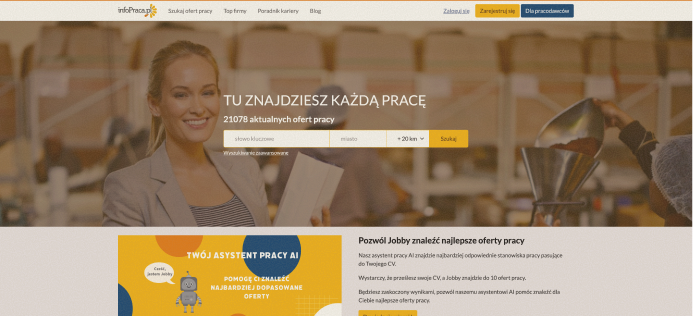
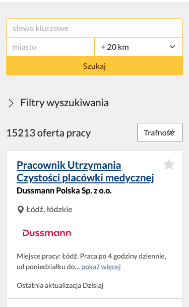
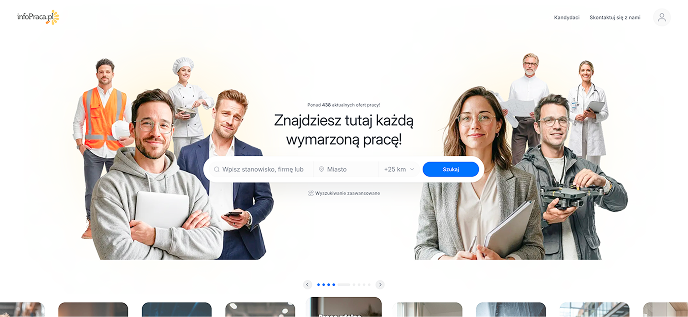
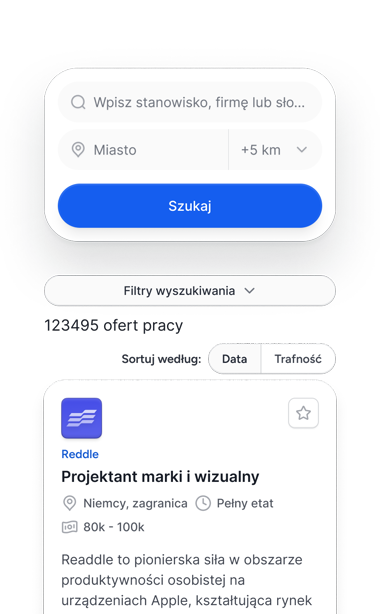
NEW INFOPRACA
We simplified search and filtering so you can reach the offers that truly interest you more quickly.
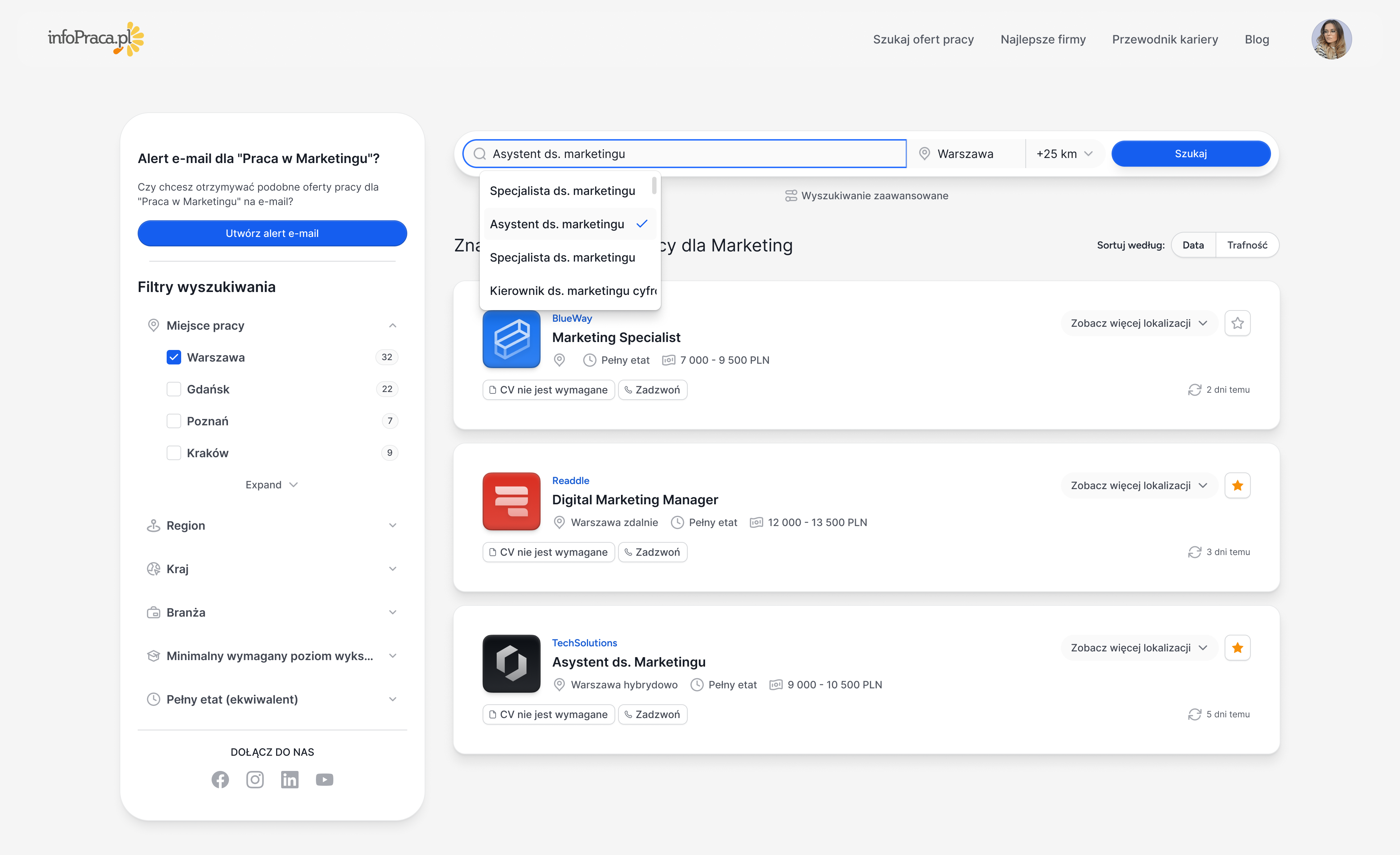
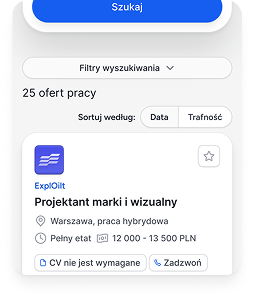
Intuitive search bar
We suggest relevant positions as you type.
Clear filters
The most important criteria always within reach.
Save interesting offers
Come back to them any time.
Save time
Fewer clicks, more relevant results.
NEW INFOPRACA
The refreshed platform was designed to help you find the job that truly matters faster.
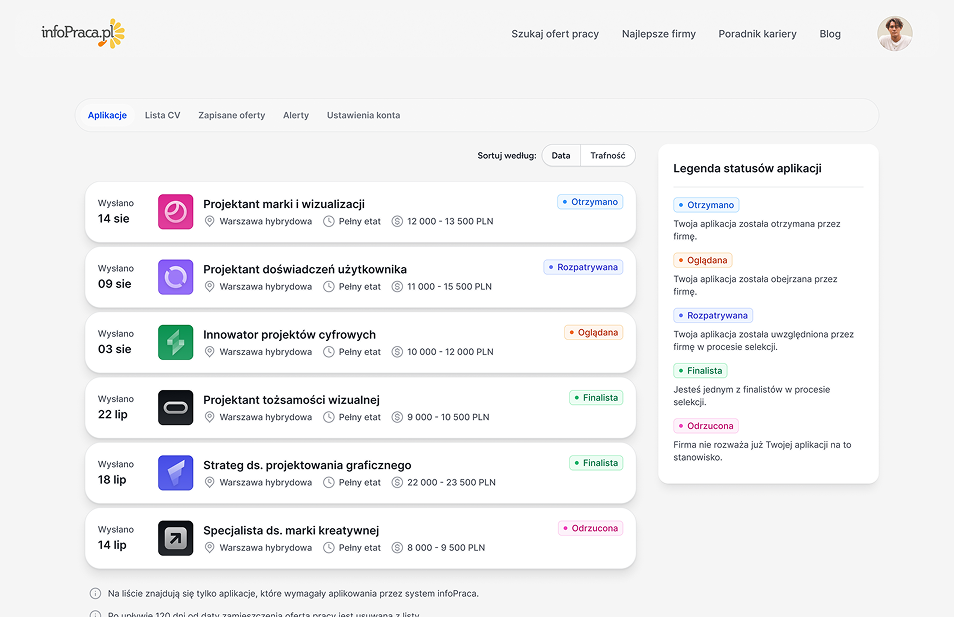
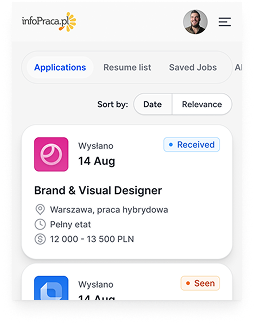
Clearer and simpler
A modern layout that makes it easier to find what you are looking for.
Faster results
Improved search and filters help you save time.
Offers that matter to you
It is easier to find offers tailored to your needs.
Save and come back
Save offers and come back to them whenever you want.